The Spivi monthly subscription provides:
- System's license activation.
- Access to the Spivi cloud services.
- Spivi software remote updates.
- Spivi customer support.
Setting Up Your Subscription
- Visit the My Studio page on spivi.com
- Choose Subscriptions and view your Subscription details. (This is only available for the club owner)

NOTE: The price of your subscription will appear according to your Spivi system and subscription plan.
- Next to Payment Method on file, click on CHANGE and add your Credit Card details.
- Press SAVE CARD.

- To activate your subscription, click on the Adjust Plan button.
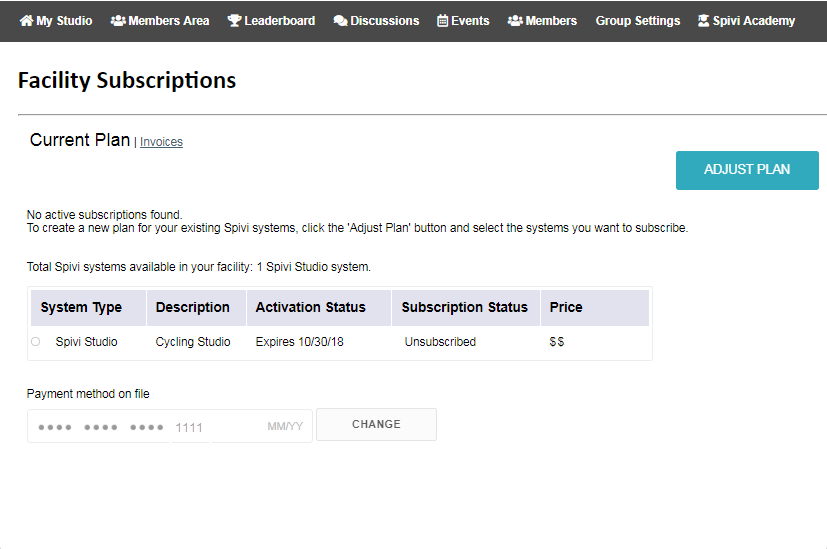
- Use the checkbox under the Subscription status, to change the box to Ready to Activate
- Click Save Plan.


To deactivate your monthly subscription:
- Click on the ADJUST PLAN button, and uncheck the Subscription Status box.
- You can also email support@spivi.com to request to deactivate your subscription. Add your name, position, and the facility name.
Comments
0 comments
Article is closed for comments.