Choose Manage Admins on the My Studio page to add or remove administrators for the club.
Spivi® administrators receive privileges to configure club settings on the My Studio page.
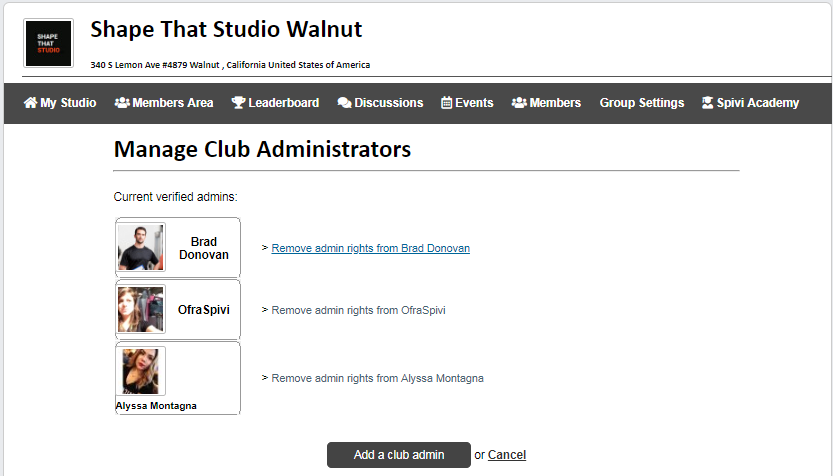
In order to add a new club administrator, press the Add a club admin button.

Enter the email address of the administrator you'd like to add and press Check.
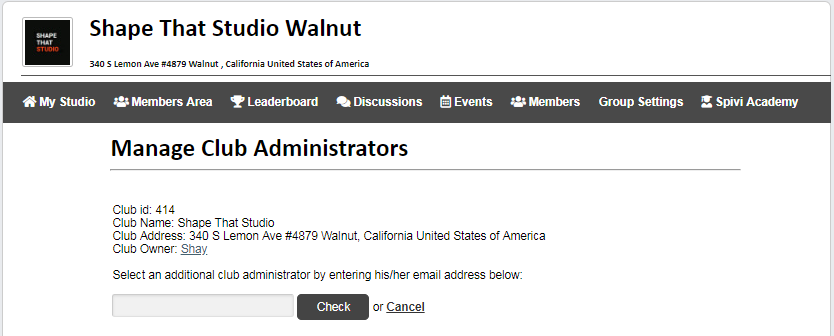
Note: The email address should be the same one that the new administrator used when signing up at www.spivi.com. When adding an active user on Spivi as admin, press the Set as new admin button to accomplish this task.

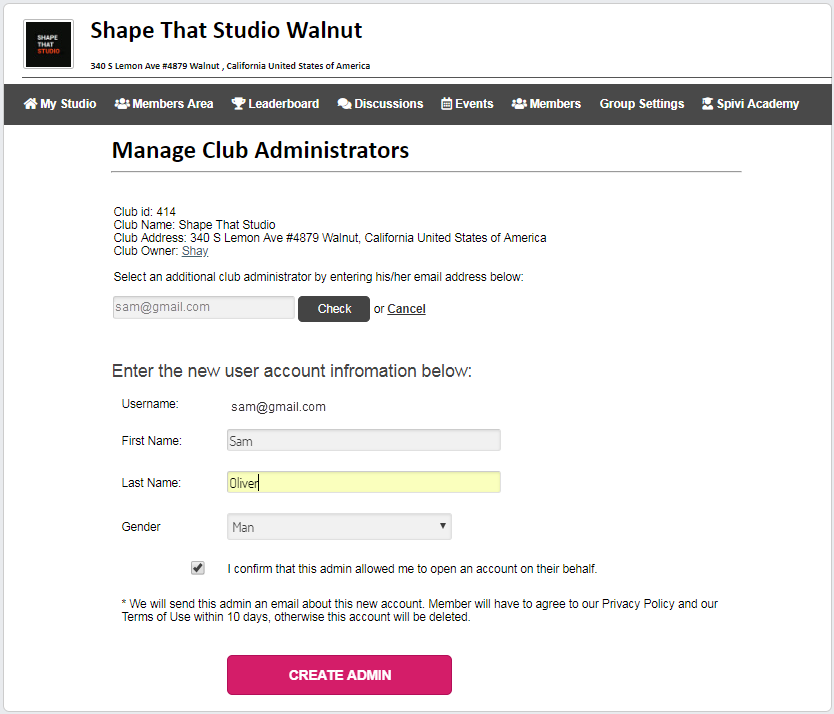
If the member does not have an active user on Spivi, press CREATE USER.

Add the new user details, and press CREATE ADMIN.
To remove admin rights, press Remove admin rights, next to the admin's user.
Comments
0 comments
Article is closed for comments.