There are three different methods to book a class powered by Spivi:
- Spivi Mobile App
- Spivi Web Widgets
- Spivi Home App
Prerequisites
- If you do not already have a free Spivi account, create one now on spivi.com
Spivi Mobile App:
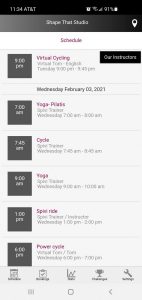
- Download the Spivi Mobile app (white icon) from the Google Play Store/App Store
- Launch the Spivi mobile app on your device, and select your location
- Navigate to Schedule on the bottom left side of the screen
- Select the class you would like to book, then select your spot number
- Select Sign-Up to complete the booking process
Spivi Web Widgets:
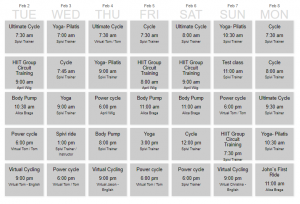
- (Club Owners) Embed the scheduler widget onto your website via the Embedding the Widgets option on the My Studio page of spivi.com
- Navigate to your club's website, and locate their class scheduler page
- Select the class you would like to book, then log into your Spivi account
- Select your spot number, then select Sign-Up to complete the booking process
Spivi Home App:
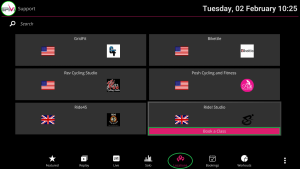
- Download the Spivi Home App (black icon)
- Launch the Spivi Home app and log into your free Spivi account
- Navigate to Locations, then select a participating club that you would like to book a class for
- Select Book a Class to be redirected to the club's website
- Select the class you would like to book, then log into your free Spivi account
- Select your spot number, then select Sign-Up to complete the booking process
Comments
0 comments
Article is closed for comments.